
How to Spot AI-Generated Phishing Emails in 2026 (Beyond Typos)
Author: Adam Collins
You receive an email from your bank. Perfect logo. No typos. Your name is spelled correctly. A polite but urgent request to verify your account. It’s a scam — and without this guide, you’d never know.
In 2026, the old rule of “just look for bad grammar” is obsolete. AI-driven social engineering has created an era of “perfect phishing,” where fraudulent emails are virtually indistinguishable from legitimate business correspondence. The Anti-Phishing Working Group (APWG) reports that attacks are now faster, more personalised, and increasingly automated.
Here’s how to detect phishing email 2026 trends before they catch you off guard.
In a Nutshell
AI now writes phishing emails that are grammatically flawless and visually convincing. To stay safe in 2026:
- Verify the sender’s actual domain, not just the display name (one of the biggest email spoofing signs).
- Never scan QR codes from unsolicited emails (Quishing)
- Check for SPF/DKIM PASS in email headers for technical verification
- Use a phishing email checker like ScamAdviser to validate suspicious links
- Treat urgency, fear, or panic as an automatic red flag
- If you clicked a suspicious link, disconnect immediately and change passwords from a clean device
Modern Red Flags: What’s Changed in 2026
1. AI-Perfect Prose
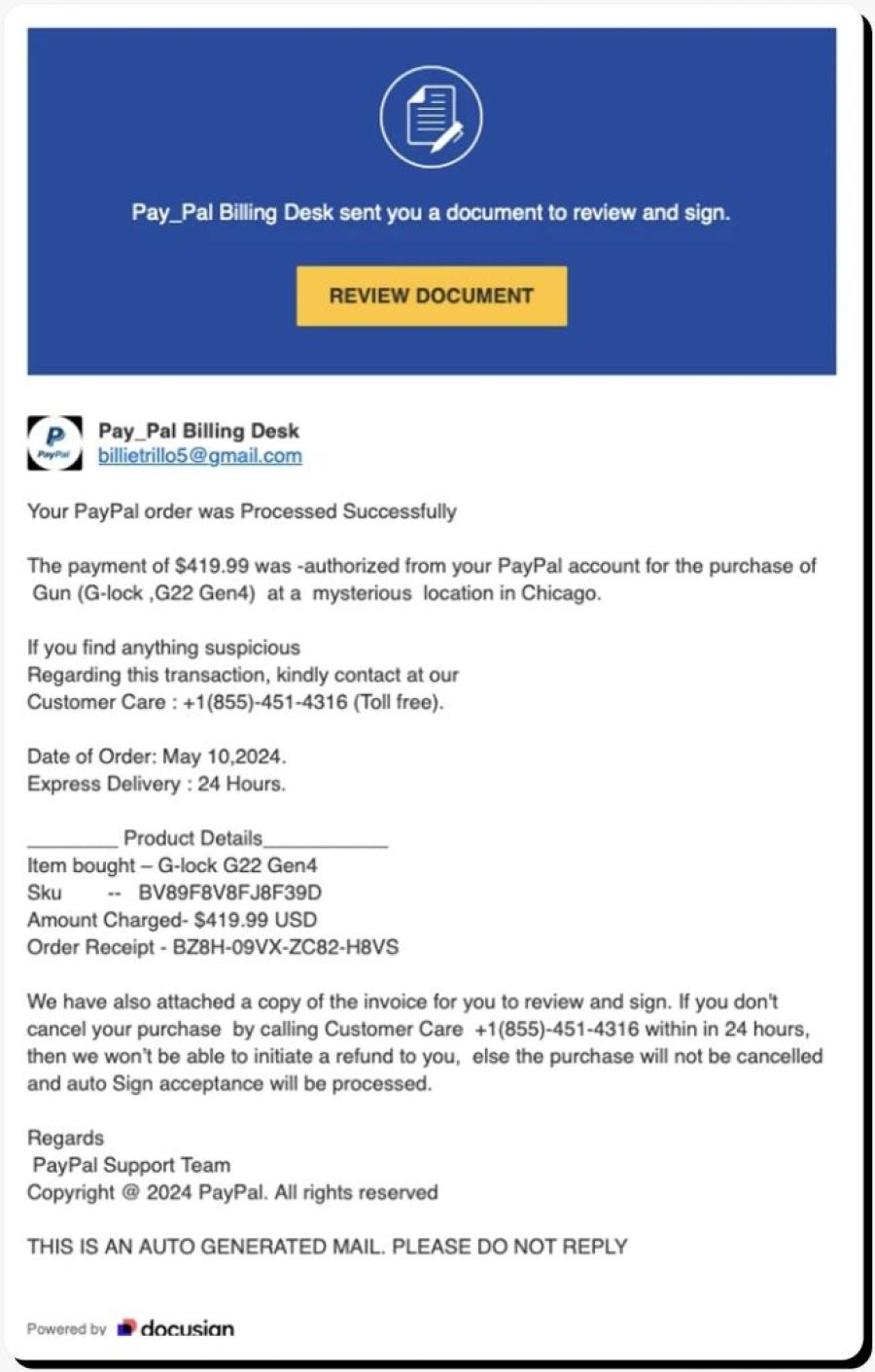
Scammers now use Large Language Models (LLMs) to write flawlessly. The Federal Trade Commission (FTC) warns that professional branding and perfect syntax are now standard in scams — not exceptional. A polished email is no longer a sign of legitimacy.
AI Phishing Email Examples:
- The "Internal Project" Hook: An email that references a real project you’re working on (scraped from LinkedIn) asking you to review an "updated budget" PDF.
- The "Benefits Election" Scam: A perfectly timed HR email during your company's actual open enrollment period, leading to a fake login portal.
What to watch for instead: unusual requests, unexpected urgency, and domain mismatches (covered below).
2. Quishing — QR Code Phishing
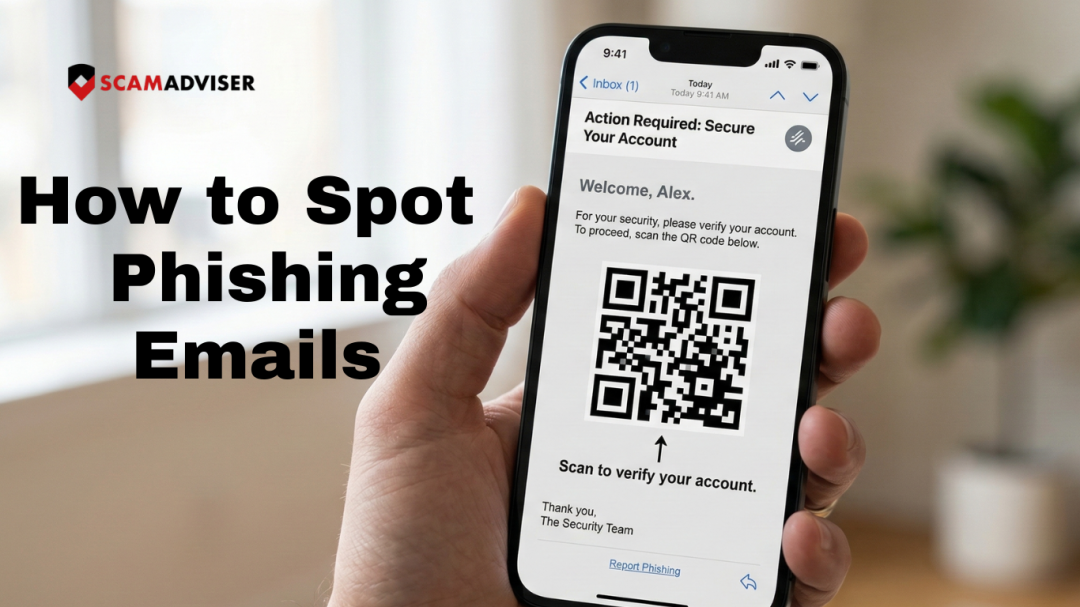
Because security filters struggle to scan images, attackers embed malicious QR codes directly into emails. They typically claim you must “Scan to verify your identity” or “Scan to claim your reward.”
Real-World Example
In early 2026, scammers impersonated DocuSign with flawless branding, a convincing domain (docusign-secure.io), and an embedded QR code. Over 14,000 people scanned the code within 48 hours before it was flagged and taken down.
Rule: Never scan a QR code from an unsolicited email. If you must verify, type the company’s web address manually.
3. The Subdomain Trap
Attackers craft long, convincing URLs that hide the real domain. The key rule: read the domain from right to left, working backwards from the first single slash (/).
| ❌ Scam URL | ✅ Legitimate URL |
| amazon.com.security-update.io | amazon.com |
| paypal-secure.login-verify.net | paypal.com |
| microsoft365.auth-check.co | microsoft.com |
In the scam URLs above, the real domain is everything after the last dot before the slash — e.g., security-update.io, not Amazon.
Technical Triage: Identifying Email Spoofing Signs
A legitimate corporate email will show SPF: PASS and DKIM: PASS in its headers. If you see FAIL or SOFTFAIL, the sender is almost certainly spoofed.
How to check in Gmail:
- Open the email and click the three-dot menu (⋮) in the top right
- Select “Show original”
- Look for the lines: SPF: PASS / FAIL and DKIM: PASS / FAIL near the top
In Outlook: File → Properties → Internet headers → scroll to find SPF and DKIM results.
The 3-Second Verification Rule
Before interacting with any email, run this quick mental check:
1 Inspect the Sender
Is the actual email domain (e.g., @scamadviser.com) an exact match — not just the display name?
2 Hover, Don’t Click
Does the URL preview in your browser match the official site? Check from right to left.
3 Audit the Emotion
Does the email use fear, greed, or panic to force an immediate action? That’s the trigger.
Checklist: Is Your Email a 2026 Phish?
Use this checklist before clicking any link or taking any action requested in an email:
☑ Display Name Check
- Does “Microsoft” actually come from a @microsoft.com address? Right-click the sender name to reveal the real address.
☑ The Hover Test
- Does the link point to the official site, or a suspicious/shortened URL (e.g., bit.ly, a subdomain trap)?
☑ Unexpected MFA Push
- Did you receive a push notification to “Approve” a login you didn’t initiate? Deny it immediately.
☑ Forced Urgency
- Does it threaten to “delete your account” or “suspend access” within hours? Urgency is a manipulation tactic.
☑ QR Code Request
- Is there an unsolicited QR code you’re being asked to scan? Do not scan it.
☑ SPF / DKIM Check
- If you’re suspicious, check the email headers. A FAIL result confirms it’s spoofed.
Can a phishing email steal your data without a password?
Yes. Modern Session Hijacking attacks can steal your browser cookies or active login tokens simply by having you click a malicious link. This allows attackers to enter your account even if you have Multi-Factor Authentication (MFA) enabled. Always hover over links before clicking to verify their destination.
Immediate Recovery Steps: If You Clicked a Phishing Link
Act fast — speed matters:
- Disconnect immediately — disconnect your device from the internet (Wi-Fi and mobile data) to stop potential data exfiltration.
- Use a clean device — on a separate, unaffected device, change your passwords and reset your MFA keys for any linked accounts.
- Scan for malware — run a full malware scan on the affected device before reconnecting it.
- Upgrade to phishing-resistant MFA — CISA recommends moving to FIDO2 security keys (e.g., YubiKey) as the strongest available protection.
- Report it — file a report at ReportFraud.ftc.gov and notify your bank or any affected service providers.
Frequently Asked Questions
How do I know if an email is a scam if there are no typos?
In 2026, AI-generated scam emails are grammatically flawless. Instead of checking for typos, verify the sender’s actual email domain (not the display name), look for any forced sense of urgency, and check whether the link destination matches the official website. If any of these three things are off, treat the email as suspicious.
What is Quishing and how do I stay safe?
Quishing is phishing carried out via QR codes. It bypasses email security filters because there is no text link to scan — only an image. To stay safe: never scan an unexpected QR code from an email. If you must verify, use a secure scanner app that previews the destination URL before opening it, or simply type the company’s website address manually into your browser.
What is the Subdomain Trap?
Attackers craft URLs that look legitimate at first glance but contain a hidden domain. For example: amazon.com.security-update.io appears to reference Amazon, but the real domain is security-update.io. To decode any URL, read it from right to left from the first single forward slash — the real domain is the last segment before that slash.
What should I do if I clicked a phishing link?
Immediately disconnect your device from the internet to stop data exfiltration. Then, on a separate clean device, change your passwords and reset your MFA keys. Run a full malware scan on the affected device before reconnecting it. Finally, report the incident at ReportFraud.ftc.gov and notify your bank or any relevant service providers.
Stay Ahead of Scammers
In 2026, your best defence is a healthy dose of scepticism — and a habit of verifying before you click. ScamAdviser analyses millions of websites and emails to help you stay protected. If something feels off, trust that instinct and check it at ScamAdviser.com before taking action.
Adam Collins, not his real name for security and privacy purposes, is a cybersecurity researcher at ScamAdviser with over four years of experience on the digital frontlines. Having spent 1,500+ days analyzing thousands of suspicious platforms and emerging fraud trends, he translates complex scams into actionable consumer advice. Adam’s mission is simple: exposing the red flags so you can navigate the web without fear.
Report a Scam!

Have you fallen for a hoax, bought a fake product? Report the site and warn others!
Scam Categories
Help & Info
Top Safety Picks
Your Go-To Tools for Online SafetyDisclaimer: Some of the links here are affiliate links. If you click them and make a purchase, we may earn a commission at no extra cost to you.
- ScamAdviser App - iOS : Your personal scam detector, on the go! Check website safety, report scams, and get instant alerts. Available on iOS
- ScamAdviser App - Android : Your personal scam detector, on the go! Check website safety, report scams, and get instant alerts. Available on Android.
- NordVPN : NordVPN keeps your connection private and secure whether you are at home, traveling, or streaming from another country. It protects your data, blocks unwanted ads and trackers, and helps you access your paid subscriptions anywhere. Try it Today!
- Incogni : Incogni automatically removes your personal data from data brokers that trade in personal information online, helping reduce scam and identity theft risks without the hassle of manual opt-outs. Reclaim your privacy now!
Popular Stories
In a nutshell: A good VPN protects your privacy with strong encryption, a strict no-logs policy, and fast protocols like WireGuard. The best VPNs also offer wide server coverage, leak protection, and easy-to-use apps for all devices. For 2025, the top providers are NordVPN, ExpressVPN, Surfshark, Proton VPN, Private Internet Access, CyberGhost, and Mullvad—each excelling in speed, security, or value. In an age where every click is tracked, a Virtual Private Network (VPN) is no longer just a luxury—it's an essential tool for digital privacy and security. A VPN works by creating a secure, encrypted tunnel between your device and the internet, masking your real IP address and protecting your sensitive data from prying eyes. But with hundreds of providers out there, how do you sort the secure from the suspect? This guide breaks down the non-negotiable features of a quality VPN and highlights the 7 top-rated services for 2025. What to Look for in a Good VPN: The 4 Non-Negotiable Pillars 1. Ironclad Security Features Strong Encryption: AES-256, the gold standard. Secure Protocols: OpenVPN, WireGuard, NordLynx, Lightway. Avoid PPTP. Kill Switch: Ensures no accidental IP leaks. Leak Protection: Covers DNS, IPv6, and WebRTC. 2. Verified Privacy Practices No-Logs Policy: No activity or metadata tracking. Independent Audits: Verification by third parties. Safe Jurisdiction: Prefer countries outside the 5/9/14 Eyes alliances. 3. High-Speed Performance Fast Protocols: WireGuard and equivalents. Large Server Network: Less crowding, more reliable speeds. 4. Essential Usability Features Multi-Device Apps: Windows, Mac, iOS, Android, routers. Simultaneous Connections: One account, many devices. Unblocking Power: Netflix, Hulu, BBC
How to Protect Yourself and Your Family After a Data Breach When Your Data Falls Into the Wrong Hands Just received that terrifying notification? Or perhaps you've noticed suspicious activity in your accounts? Take a deep breath. A data breach, the unauthorized access or exposure of sensitive, protected, or confidential data, is a deeply unsettling event. It can plunge you into a world of worry, bringing risks from financial losses and identity theft to significant emotional distress and reputational damage. The numbers don't lie: according to a 2024 report, the number of data breach victim notices has grown by a staggering 211% year-over-year. This isn't just a distant threat; it's a stark reality many individuals face. This year alone, we've seen major organizations like Adidas and Qantas grapple with high-profile data breaches, affecting countless customers. This underscores a critical truth: nobody is untouchable. Subsequently, strategic action is the only way to minimize the risk and protect your future. This guide is your emergency action plan, designed to walk you through every crucial step—from confirming the breach to fortifying your digital life for the long term. Part 1: Confirming the Breach and Understanding the Damage The very first step is to answer the question definitively: Was my data compromised, and if so, how badly? Start with the basics: Check Official NotificationsReputable companies are legally obligated to inform you if your data was part of a breach. Look for official emails, letters, or public announcements. Check Verified Breach DatabasesPlatforms like HaveIBeenPwned help you see if